
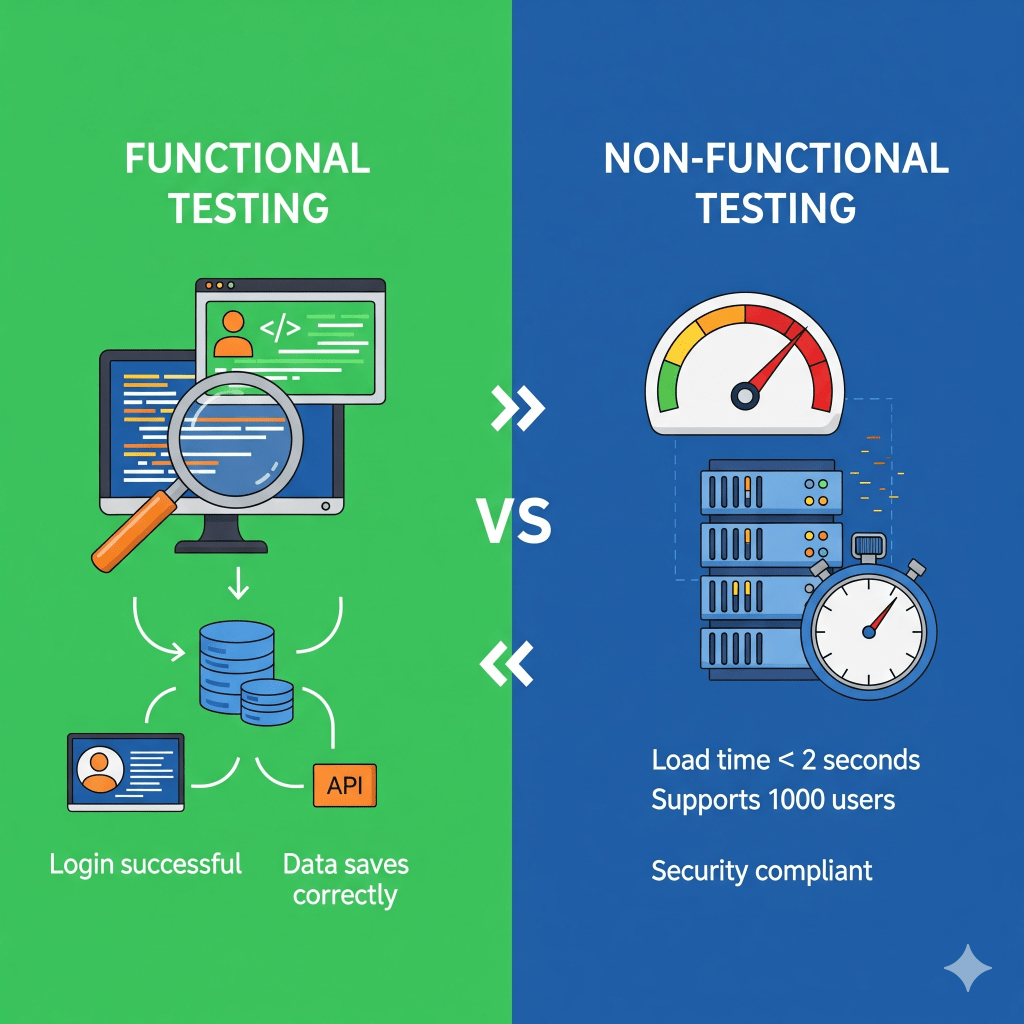
If you’ve been following my earlier posts, you might have noticed these terms sneaking in here and there: Functional and Non-Functional Testing. Interestingly, I’ve seen even seasoned QA managers pause for a moment when asked to classify a test as functional or non-functional. Yet, for any kind of software — whether it’s a small microservice or a large, integrated enterprise application — both are equally important in the test strategy.
So, what do these terms really mean?
- Functional testing is about checking whether the application actually works. Does it do what it’s supposed to do? Think of it like trying out a ballpoint pen before buying it — does it write when you put it on paper?
- Non-functional testing, on the other hand, looks beyond that. It’s about the experience and reliability. Will the ink smudge on thin paper? Will the pen last through a three-hour exam without drying up?
At the end of the day, most users are happy as long as the pen writes. But imagine it suddenly stops working halfway through your exam — that’s when frustration kicks in. And that’s exactly why both functional and non-functional testing matter.
Functional Testing
As I mentioned earlier, functional testing is all about ensuring that the system performs the intended functions exactly as the requirements describe. Like checking if a button is present, and if the button actually works when clicked. A test should be marked as a failure not only if the button is missing, but also if it’s there and working but labeled incorrectly — say it says “Sumbit” instead of “Submit”. It’s the little details that can make or break user trust once the product is in the hands of real users.
One of my favorite jokes about functional testing goes like this: “The developers built a bar. Before handing it over, they did thorough unit testing. They ordered 1 beer, 0 beer, -1 beer, and even 10,000 beers. Everything worked perfectly. Then the QA walked in. The developers proudly waited for his first test. The QA asked, ‘Where is the washroom?’” That, in a nutshell, is functional testing.
Throughout my career, I’ve met some truly creative functional testers. The best ones aren’t just button-clickers or screenshot takers; they act as a bridge between business and technical stakeholders. Deep knowledge of the domain, application, and requirements — combined with creativity and attention to detail — is what makes a great functional tester. Let’s be honest: translating a business vision into clear requirements is difficult. Sometimes requirements are vague. Sometimes developers misinterpret them. It’s the tester’s job to ensure the final product actually aligns with what the business envisioned.
Most functional tests are also highly automatable with scripting, especially regression and API tests, using both open-source and enterprise-grade tools. AI is starting to play a bigger role here too, from self-healing test scripts to intelligent test case generation, which reduces the maintenance burden. I’ll try to explore these in a separate article later.
Non-Functional Testing
I could go on and on about non-functional testing — after all, most of my career has been spent here. Non-functional testing is about validating the qualities of a system: how fast, how secure, how reliable, and so on. A non-functional tester expects the button to read “Submit,” but honestly may not care if it says “Hello World.” What matters is whether the button still works when it’s clicked a thousand times in parallel, or under varying load conditions.
While a good functional tester needs deep knowledge of the domain, business, and requirements, a non-functional tester also has to understand the application architecture inside out. What systems are involved? Where are they hosted? Are there third-party services? How do they communicate? How are the test and production environments configured? (I warned you I could go on about this… 😅)
The first — and most important — part of non-functional testing is identifying and classifying requirements and stakeholders. Different types of non-functional requirements lead to different categories of testing — performance, security, usability, compatibility, scalability, resilience — each requiring its own specialized skills and tool-sets. This is a deep topic, and I’ll likely dedicate a separate article just to that.
Automation exists here too, but it looks very different. A quarterly report from your functional automation team might proudly list 1,000 Selenium or UFT scripts. Meanwhile, your performance tester might only list 10 — and still be waiting for budget approval on a load generator license. That’s because non-functional testing isn’t measured by the number of scripts, but by the quality of scenarios, simulations, environments, and monitoring. For example, while a functional tester may try to break a form submission using special characters, a performance tester will simulate 10,000 users submitting the same form simultaneously — not to “break” it, but to monitor CPU and memory usage, track response times, and observe behavior under sudden spike loads.
I’m genuinely fascinated by how my functional testing counterparts are already making full use of AI — from self-healing scripts to intelligent test generation. In the non-functional space, especially performance testing where I spend most of my time, we’re only at the early stages of figuring this out. While functional testers use AI mainly to cut down on script maintenance, my own experiments have been more about using offline models to:
- interpret messy result sets,
- analyze or extrapolate long-term trends,
- correlate observations across multiple systems, and
- detect anomalies or even predict bottlenecks before they happen.
It’s still very much a work in progress for me, but that’s also what makes it exciting. To be honest, I feel like I’ve just scratched the surface — and every experiment teaches me something new.
Functional vs Non functional testing – Comparison
| Factor | Functional Testing | Non-Functional Testing |
|---|---|---|
| FactorFocus | Functional TestingValidates what the system does — ensuring features, calculations, and workflows behave as specified | Non-Functional TestingEvaluates how the system behaves under different conditions — focusing on speed, security, reliability, and scalability |
| FactorObjective | Functional TestingEnsure that business rules, user flows, and system outputs are correct and consistent | Non-Functional TestingEnsure the application delivers acceptable performance, stability, usability, and resilience under expected and unexpected conditions |
| FactorScope of Questions Answered | Functional Testing“Does the system perform the intended task correctly?” | Non-Functional Testing“Does the system perform well enough to satisfy users and stakeholders over time?” |
| FactorExamples | Functional TestingValidating login authentication, data entry validation, shopping cart checkout flow, report generation | Non-Functional TestingMeasuring response times under heavy load, testing recovery after a server crash, validating encryption standards, assessing accessibility for differently-abled users |
| FactorLess Popular Test Types | Functional TestingSmoke testing, sanity testing, exploratory testing, regression testing, user acceptance testing | Non-Functional TestingSoak testing, spike testing, failover/recovery testing, endurance testing, configuration testing, compliance testing, disaster recovery drills |
| FactorRequirement Source | Functional TestingDerived from functional requirements documented in SRS/BRD, user stories, acceptance criteria | Non-Functional TestingDerived from non-functional requirements such as SLAs, industry standards, compliance guidelines (e.g., GDPR, HIPAA), performance benchmarks |
| FactorUser Roles Involved | Functional TestingDevelopers (unit testing), QA engineers (system/integration testing), business analysts (requirement validation), end-users (UAT) | Non-Functional TestingPerformance engineers, security analysts, DevOps/SRE teams, UX designers, compliance officers |
| FactorSDLC Placement | Functional TestingTypically verified early to mid SDLC — unit, integration, and system testing, with final validation during UAT | Non-Functional TestingTypically emphasized mid to late SDLC — system, staging, pre-production, and often extended into production monitoring (observability/chaos testing) |
| FactorTooling | Functional TestingSelenium, Cypress, Playwright, Postman, RestAssured, JUnit, TestNG, Cucumber | Non-Functional TestingJMeter, Gatling, Locust, LoadRunner, NeoLoad, OWASP ZAP, Burp Suite, Lighthouse, k6, Chaos Monkey |
| FactorDegree of Automation | Functional TestingHigh feasibility — most regression, API, and UI tests can be automated and integrated into CI/CD pipelines | Non-Functional TestingModerate feasibility — relies on realistic environment simulations, test data at scale, monitoring infrastructure; automation is possible but costly and complex |
| FactorAI Feasibility | Functional TestingActively leveraged — AI/ML used for self-healing scripts, automated test generation, defect prediction, and test optimization | Non-Functional TestingEmerging but growing — AI applied in anomaly detection, predictive capacity planning, log analysis, user behavior modeling, intelligent alerting |
| FactorApproach | Functional TestingPrimarily black-box; input-output validation against requirements; often discrete and repeatable test cases | Non-Functional TestingSystem-level simulations, monitoring, stress tests, long-duration runs, environmental variations; more open-ended and investigative |
| FactorMetrics & Outputs | Functional TestingPass/fail results, defect reports, coverage statistics, traceability to requirements | Non-Functional TestingResponse time, throughput, error rate, uptime %, resource utilization, security vulnerabilities, usability scores, compliance status |
| FactorDeliverable | Functional TestingVerified correctness of functionality; evidence that features work as intended | Non-Functional TestingAssurance of performance, resilience, and quality; insights into system behavior under varying conditions |
| FactorEnd Goal | Functional TestingConfirm that the application works as expected for its intended use cases | Non-Functional TestingConfirm that the application works well under real-world conditions and meets user expectations for quality, speed, and reliability |



 Beyond metrics: the human side of testing.
Leave a comment